Mediterranean Coast


Introduction
Hello everyone! My name is Timothy Dubois, and I am an Environment Artist from Belgium.
I’m currently working at Spiders on Greedfall 2.
Project Planning
My initial goal for this project was to work with vegetation, so I started in a slightly unconventional way. Rather than imagining an environment first, I focused on creating foliage.
I didn’t have a clear idea of the final scene yet—just a desire to experiment with new techniques for vegetation! I began by researching references of Mediterranean flora and started producing them using Blender and Speedtree.
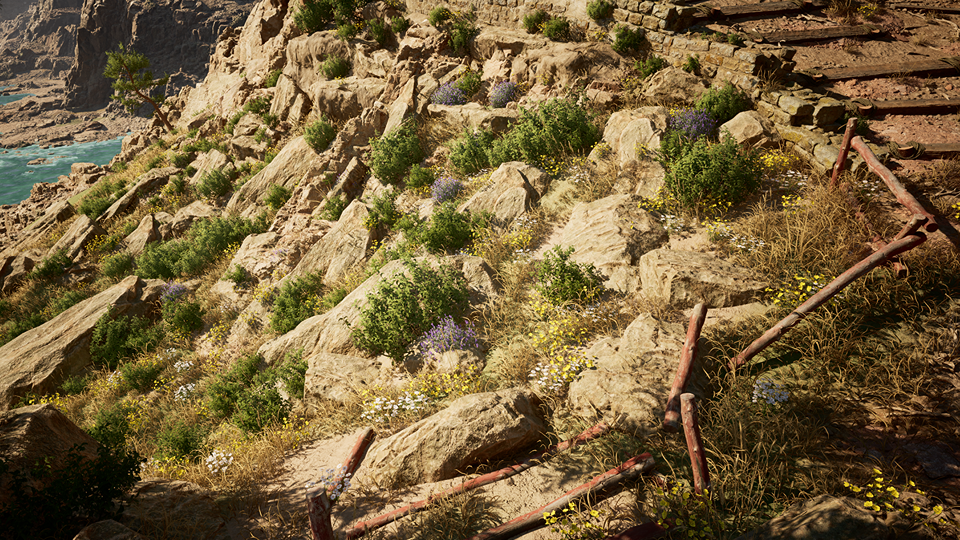
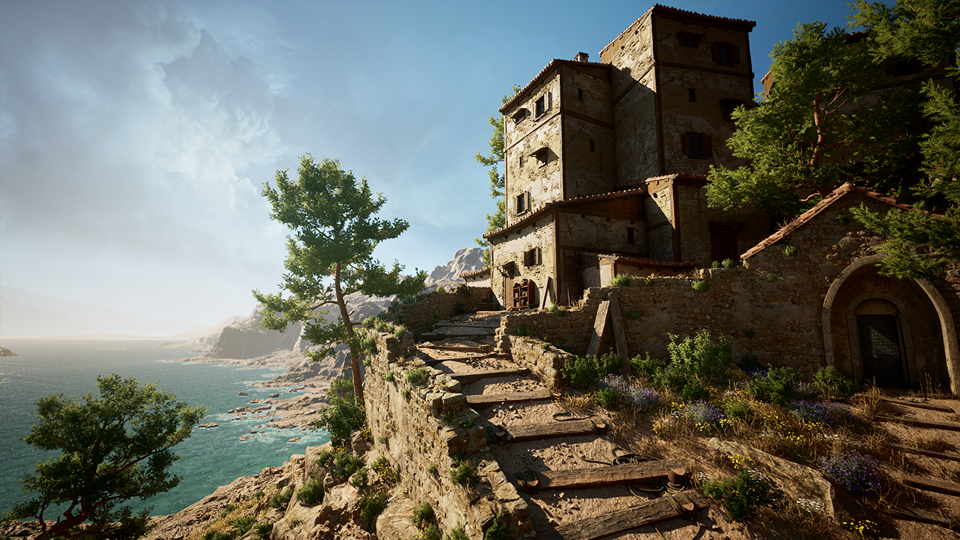
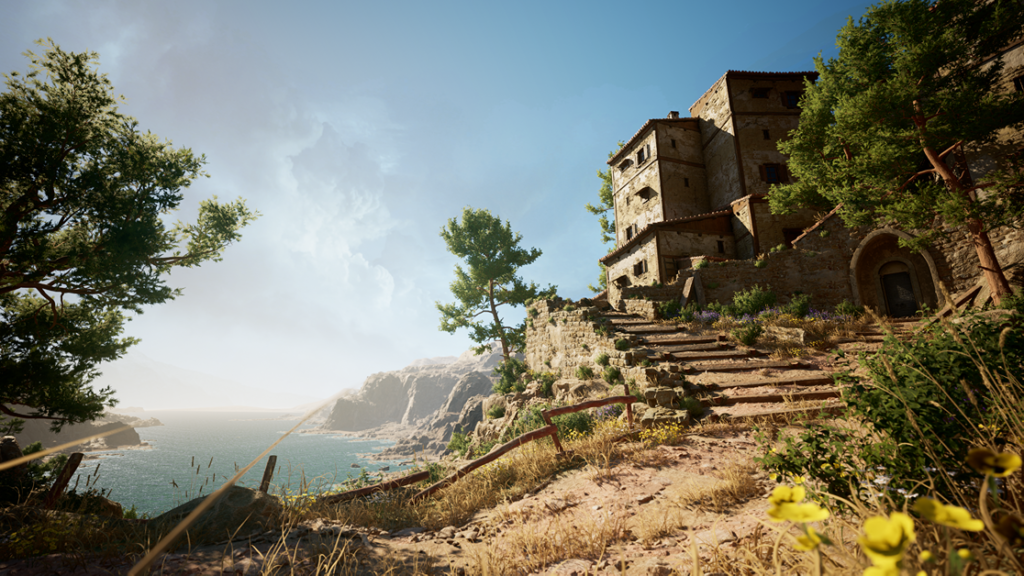
References and Inspirations
This project stemmed from a strong desire to explore vegetation creation and level art. I set myself the challenge of creating foliage from scratch, relying primarily on photographic references to compose my scene.
However, while working on this project, I found inspiration from *A Plague Tale: Requiem* and *Assassin’s Creed: Odyssey*.
Vegetation
To create the vegetation, I used Blender and Speedtree for modeling. Since I wanted clean textures for the foliage without micro-details, I started with flat color bases.
My process varied slightly depending on the plant, but the foundation was consistent.
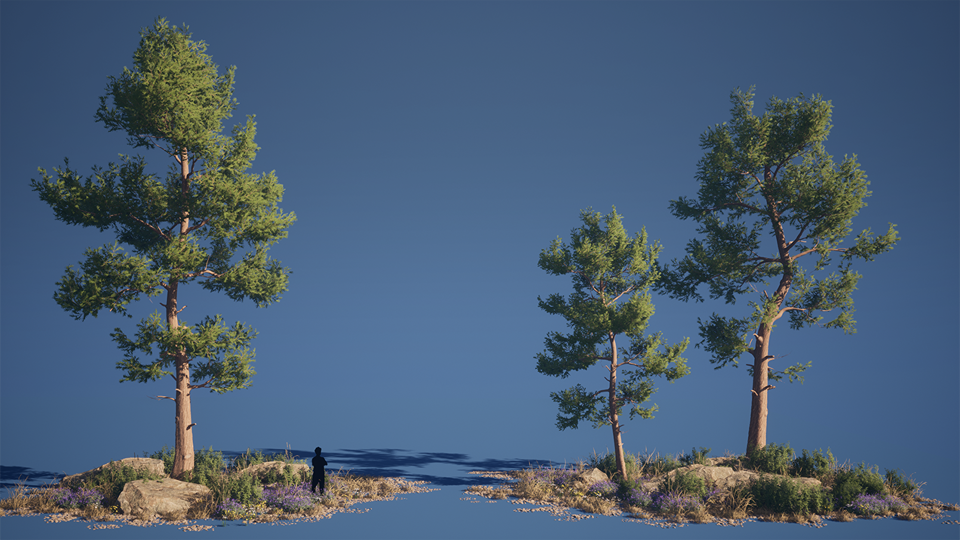
For example, with trees, I began by blocking out basic shapes in Speedtree.
This allowed me to test different forms for my future trees. I then created the first version of my foliage and branch atlas.
I prefer using Speedtree for this because it offers tools that make iteration easy and quick, though sometimes I use Blender or Designer depending on the vegetation type and available time.
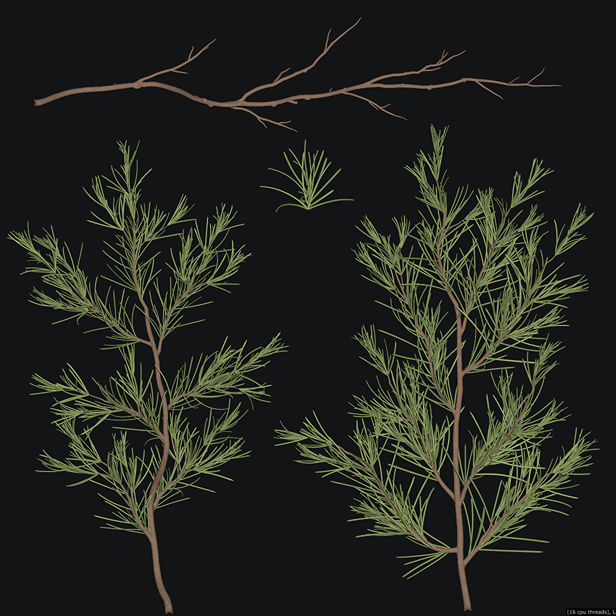
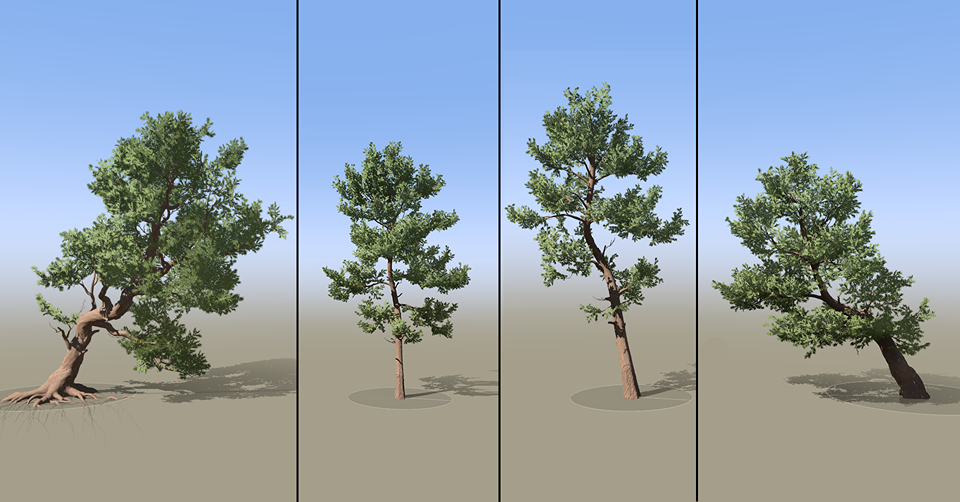
I created my trees using the atlas and simultaneously developed the bark material in Substance Designer to texture the branches.
I chose rectangular textures for the bark, using a 2048×4096 px size to avoid repetition in the trunk texture.
From there, it was simply a matter of composing the final tree from the base elements I had created.
Flowers
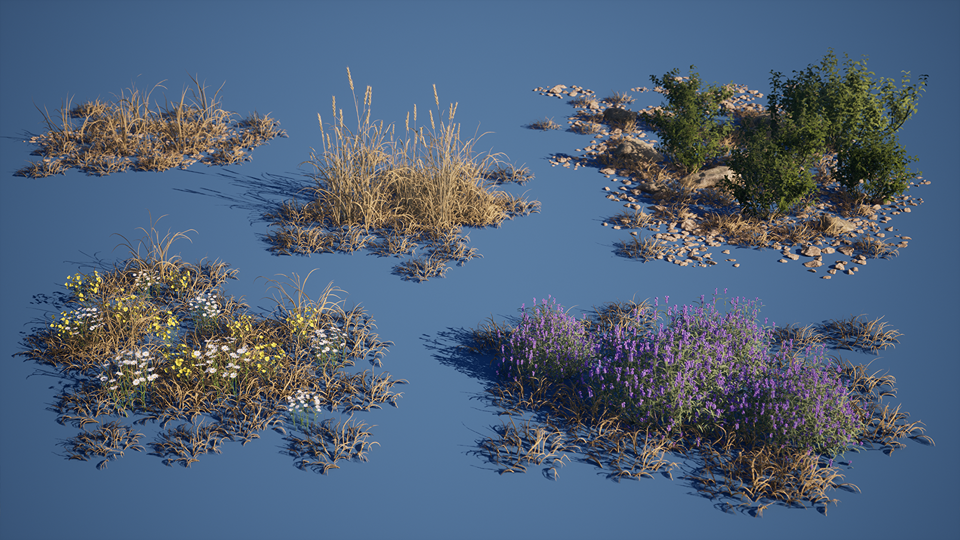
For low vegetation, such as flowers, I followed a similar approach.
I began by creating a sort of trim sheet of colors with slight gradations to texture the various parts of the flower, which I modeled in Blender.
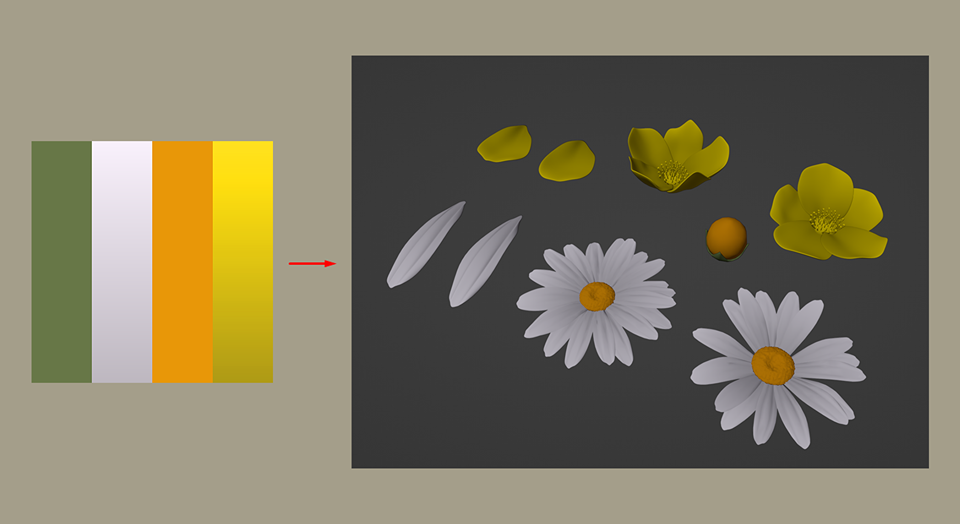
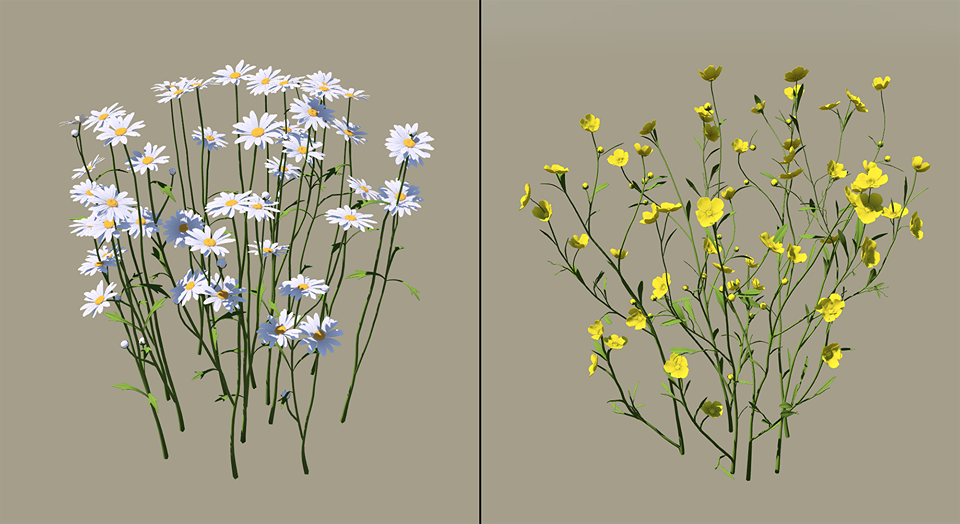
I then moved to Speedtree to complete the High Poly model. I enjoy assembling it in Speedtree because the generator tools provide quick results.
At this stage, the process is quite similar to what I use for trees.
Terrain
Next, I moved into Unreal Engine to test vegetation compositions and ensure that my elements were consistent. I created a terrain material with different layers to blend them together when painting the terrain, using “Landscape Material Layer Blending.”
I also added a “landscape grass type” to some materials to procedurally distribute selected meshes over the terrain where I painted. I enjoy starting this way, mixing it with the “foliage” tool to spread grass and other plants quickly.
This approach helps sketch out the initial paths, ensuring everything is coherent and gives direction to my composition.
Buildings
For the buildings, I chose a classic modular workflow. I created various modules in Blender and then assembled them in UE5. Since I wanted multiple building shapes, I designed a range of walls with different doors, windows, roofs, and wall angles.
I made 4×4 and 2×4 meter modules for the walls.
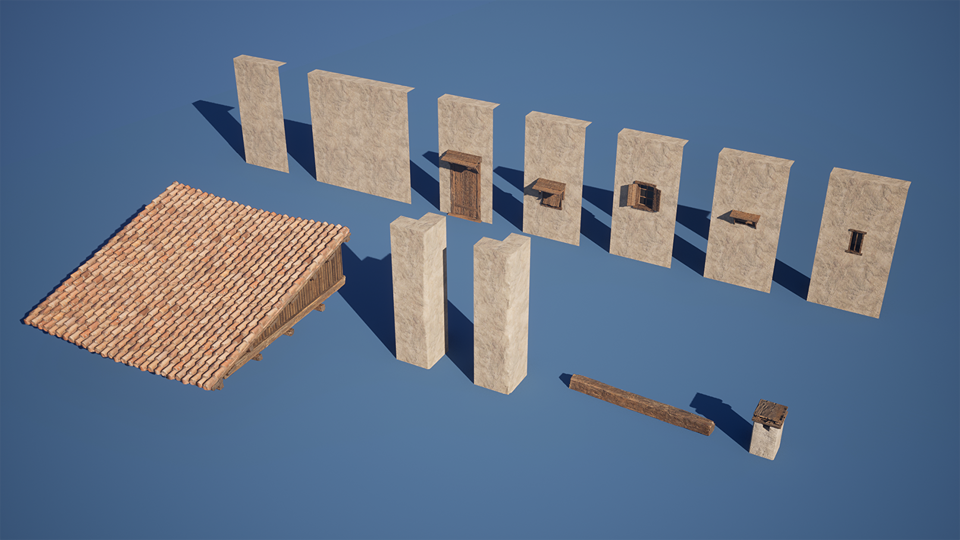
For the brick and wood elements, I opted to create them as meshes to give my model some relief. I made them in patches that I placed as needed.
Combined with Quixel Bridge decals and vertex painting using a vertex paint material, this approach helped break up repetition and added detail to the buildings.
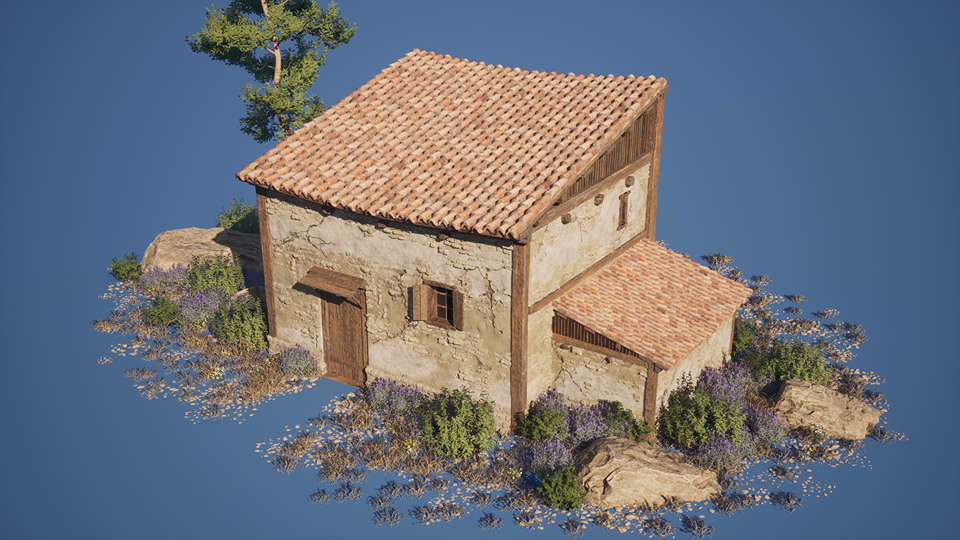
The tile material for the roof was made by my friend Antoine Déjean. Many thanks to him for his excellent work!
You can find it on his Artstation:
[Antoine Déjean’s Artstation]
Material Creation
I also used this project as an opportunity to practice with Substance Designer. Although my materials are fairly simple in construction, I learned a lot from the process.
For example, with the plaster, I used several shapes that I deformed, passed through the “tile sampler” node, and mixed together.
This simulated different layers of thickness and gave the plaster a non-uniform, rough appearance. I then refined it and added damage, drips, and other marks typical of the application process.
For color, I chose something neutral, knowing I would create variations in UE5.
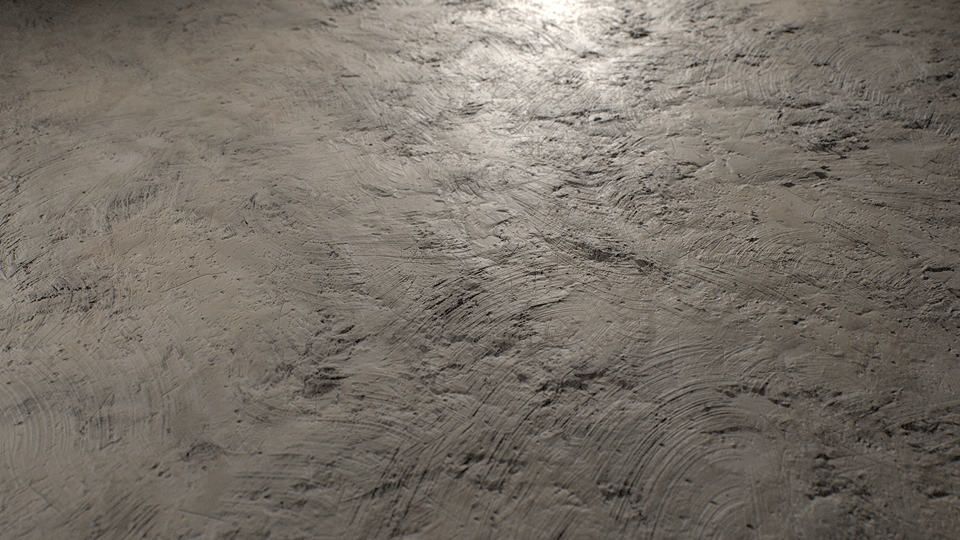
For this project, I avoided overloading the materials with unnecessary micro-details that could add visual noise. My goal was to achieve a look close to reality but with a certain stylization, smoothing out the textures.
Once in UE5, I mixed the material in my vertex paint shader with another material I created.
The shader is simple and allows for variations in color, roughness, and blend width.
Background
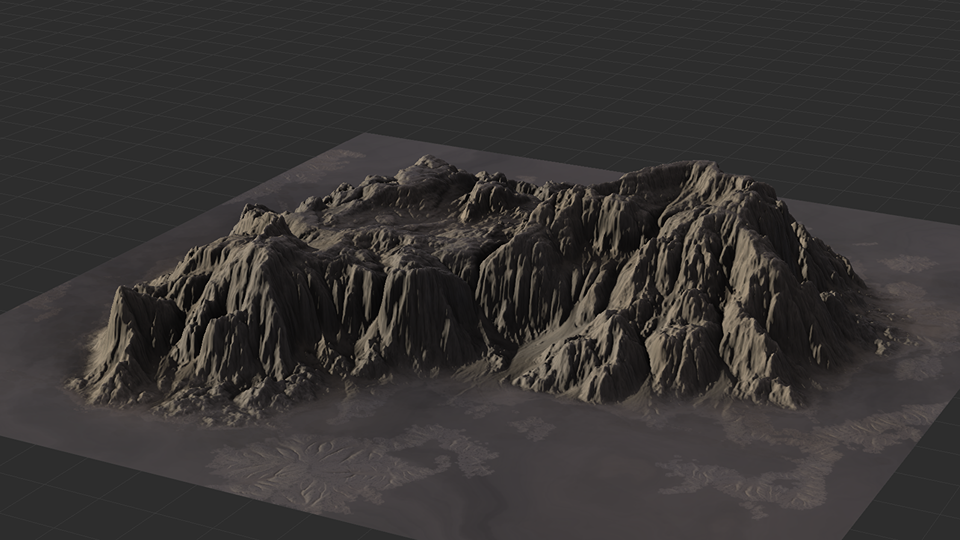
For the background meshes, I started with a base from Megascans, which I retouched for efficiency. I used cliff meshes from Quixel Bridge, reworking them in Substance Painter to maintain the basic mesh but create a smoother texture with fewer micro-details.
I then created mountain meshes using World Machine to blend with the cliffs.
Lighting and Final Pass
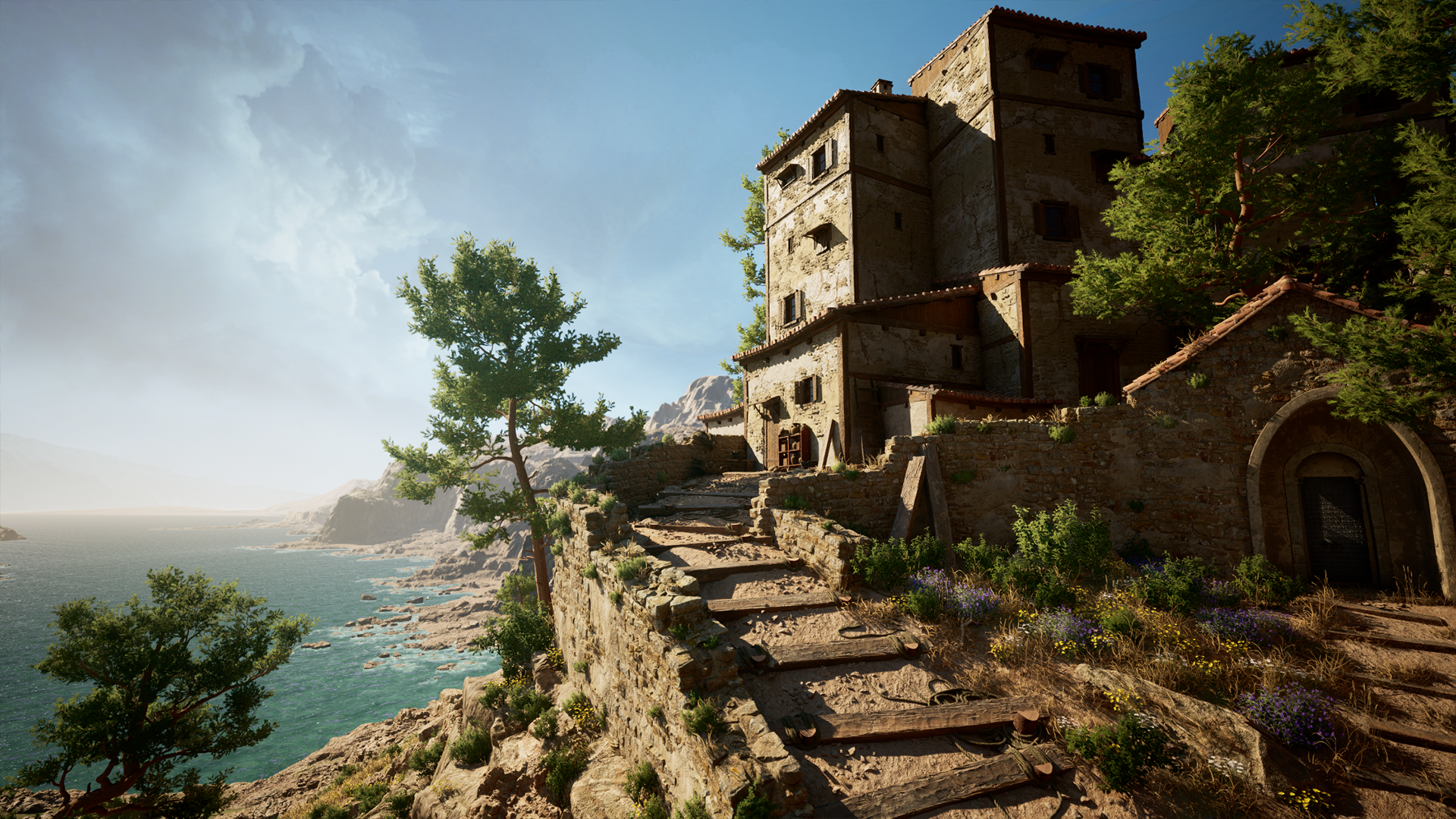
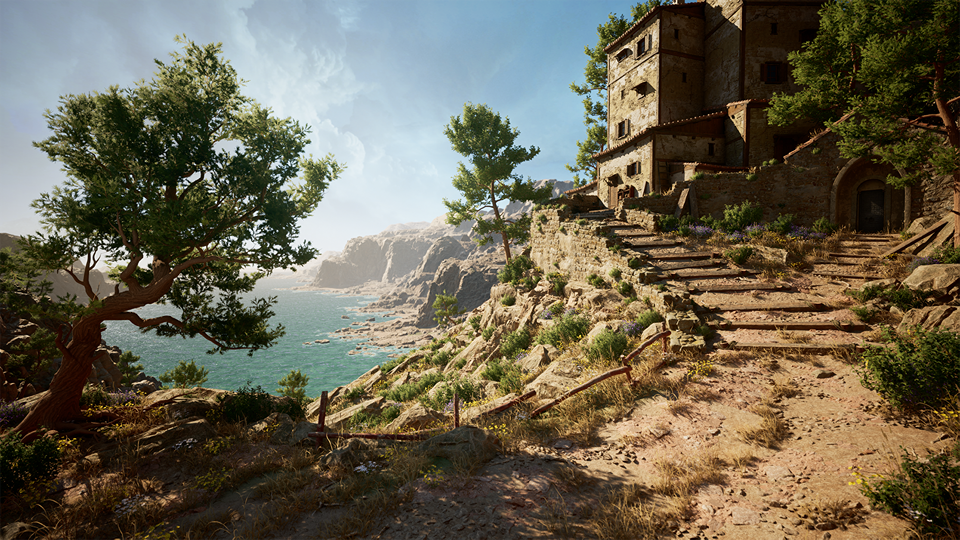
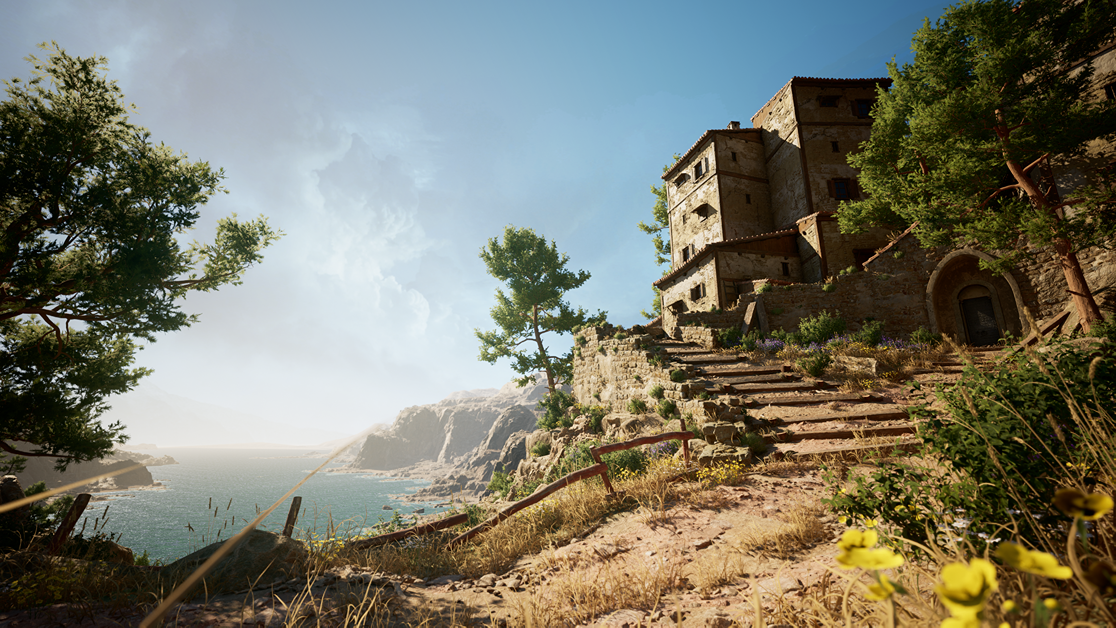
For lighting, I aimed to capture the essence of the Mediterranean—warm colors and light exposure reminiscent of a sunny mid-afternoon. I positioned the sunlight to come from the left, directing the eye to my point of interest on the right.
I also created lines of force leading to the buildings, whether it’s the path, the orientation of the rocks, or the tree in the foreground. Everything was designed to guide the viewer’s eye logically from left to right.
The foreground is clear enough to reveal the distant landscape, but it remains misty to avoid drawing too much attention initially.
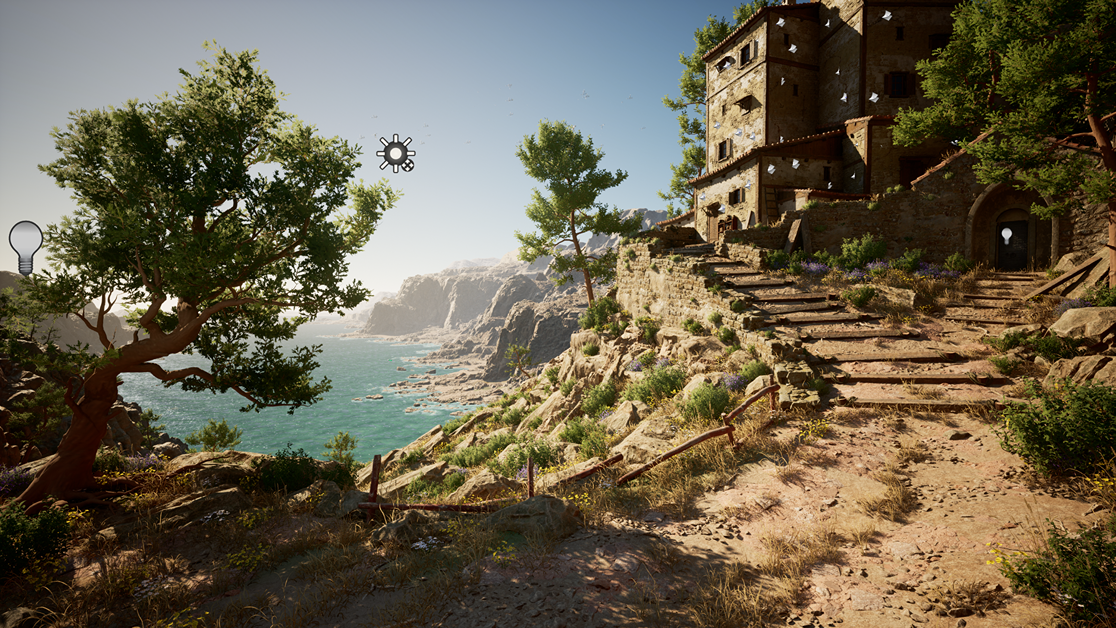
To add life to the environment, I used assets and decals from Quixel Bridge and VFX from the Unreal Marketplace.
Since I wanted to include some animation and small distant objects, I decided to use available resources rather than creating everything from scratch.
Damage decals and leaks were particularly useful for adding detail and breaking up texture repetition.
For VFX, I used birds from Andrew Svanberg Hamilton’s fantastic “Rural Australia” pack and water from thearlevfx’s “Water Materials” pack.
Both are free on the Unreal Marketplace and can be found here:
Conclusion
This project taught me a lot, and I thoroughly enjoyed applying and refining the techniques I wanted to improve.
I learned more about certain software and challenged myself with greater constraints than in my previous projects.
Thank you to Games Artist for giving me the opportunity to share my work with you, and thanks to my friends for their support and feedback on this project.
I hope you enjoyed this article. Feel free to contact me on Artstation or LinkedIn!
Read more articles
You might also like these articles.